
Your dashboard shows plenty of calls, emails and completed tasks, but the pipeline review still feels uncomfortable. Deals haven't moved, follow-ups are vague, and your busiest rep isn't necessarily creating the most qualified opportunities. You need to know whether the team needs more activity, better execution or more reliable records.
Sales activity tracking should provide evidence, not a scoreboard. A useful system connects seller actions to buyer responses and makes missing or questionable data visible before you use it to coach, forecast or set targets.
What Sales Activity Tracking Means for Your Pipeline
A flight recorder captures control inputs so investigators can reconstruct what led to a landing. Sales activity tracking serves a similar purpose: it preserves calls, emails, meetings, follow-ups and stage changes so managers can understand how a deal developed.
Sales activity tracking means recording each sales action with its timestamp, contact, channel, outcome and next step in a shared system. An entry should explain what happened, not merely prove that a rep was busy.
Think of the activity history as the recorder, rather than the performance rating.

Say a prospect receives an introductory email, attends discovery and then requests a proposal. Separate inbox notes preserve fragments; a connected history lets the next person see the request, the buyer's concerns and the promised follow-up. Spreadsheets can organize those details, but comparing them across reps requires consistent definitions and shared ownership.
A peer-reviewed sales force automation study examined 1,641 pharmaceutical sales representatives across Germany, England and the United States and found that SFA usage explained 16.4% of the variance in sales performance. Its scope included planning, administration, communication and sales tools, supporting a broader view of tracking than isolated contact notes. That finding isn't a guaranteed lift for an SMB, but it illustrates why activity records deserve operational attention.
Make the history decision-ready
Assigning definitions, ownership and review routines is part of sales operations, not just CRM administration. For managers deciding how to present connected records, Cyndra's discussion of AI dashboards for operational oversight offers a useful starting point for thinking about visibility.
Record test: Can you tell who was contacted, when, through which channel, what happened and what comes next?
If you can't answer those questions, the record is incomplete.
Sales Activity Metrics and How to Calculate Them
Metric | Group | What It Reveals | How to Calculate |
|---|---|---|---|
Touches per rep per day | Input | Workload and consistency | Logged touches per rep divided by that rep's working days |
Time to first touch | Input | Speed on new leads | Hours from lead creation to first logged touch |
Positive reply rate | Conversion | Message relevance | Positive replies divided by emails sent |
Activity-to-meeting rate | Conversion | Whether touches create real conversations | Meetings booked divided by touches, by channel |
Meeting-to-opportunity rate | Conversion | Qualification quality | Opportunities created divided by meetings held |
Opportunity win rate | Outcome | Late-stage execution | Won deals divided by closed deals, by stage cohort |
Activity yield | Yield | Pipeline return per unit of effort | Qualified outcomes divided by comparable activities, segmented |
Logging coverage | Instrumentation | Whether activity data is complete | Matched logged activities divided by performed activities found in an audit |
Stale opportunity share | Instrumentation | Whether the pipeline is current | Open deals with no verified activity in a set window divided by open deals |
Calculate touches per rep per day using each rep's actual working days. Exclude leave consistently, and don't combine automated sequence sends with personal calls unless the dashboard distinguishes them. For time to first touch, subtract lead creation time from the first qualifying outreach timestamp, stating whether you measure elapsed or business hours.
For positive reply rate, define positive before counting. A request for a relevant conversation qualifies; an automatic reply or unsubscribe doesn't. Keep sent-message and delivered-message denominators separate rather than switching between them.
Match the denominator to the decision
Calculate activity-to-meeting rate separately by channel. If several channels contributed to the booking, choose an attribution rule rather than crediting the same meeting independently to every channel. For meeting-to-opportunity rate, use held meetings, not scheduled meetings, and apply a written qualification standard.
For opportunity win rate, closed deals include wins and losses, not still-open opportunities. A stage cohort means opportunities that reached a defined stage; allow enough time for that group to mature before comparing results.
Activity yield = qualified outcomes ÷ comparable activities.
Choose the outcome first, such as qualified meetings or opportunities, then segment by channel, rep, territory, account tier and funnel stage. Forrester's sales-productivity methodology emphasizes relative productivity, evaluating activity impact and yield rather than relying only on task counts or time spent.
Check whether the measurements are trustworthy
Measure logging coverage by auditing performed activities against CRM entries. Start with calendar, inbox and phone records, then find their CRM matches; starting only inside the CRM can't reveal interactions that never arrived there.
For stale opportunity share, define the inactivity window by stage and sales motion. A buyer-confirmed procurement wait shouldn't be treated like an unanswered early-stage prospect.
There's no useful universal target for most of these measures without comparable context. Establish a baseline across a normal operating period, preserve the definitions and use this guide to sales rep productivity metrics to choose a focused scorecard.
Start with an input, a conversion measure and an instrumentation check. You need to understand the dashboard before expanding it.
Why Activity Volume Misleads Sales Managers
Say one rep makes far more calls than another, yet books fewer qualified meetings. A volume ranking puts the busier rep first; a yield comparison prompts a better question: what made the other rep's conversations productive?
The same applies to messaging. A smaller batch of personalized outreach can be more valuable than a larger generic send if it produces stronger buyer responses and qualified pipeline.
Kondo's B2B sales benchmark summary reports that representatives spend only about 28–30% of their week on core selling activities. Treat that as context, not your team's measured baseline. Raising quotas without checking workload can push reps toward superficial outreach and additional logging.
Diagnose before increasing targets
Use the conversion pattern to locate the problem:
Low activity, healthy conversion: Check capacity and prospect availability.
High activity, weak replies: Inspect targeting and message relevance.
Strong meetings, weak progression: Review qualification and next-stage execution.
Compare similar lead sources, deal sizes, segments and sales cycles before judging individual reps. Grou's guidance on how to improve pipeline flow and revenue is useful context when the bottleneck requires a process change rather than another activity target.
Count an activity toward a performance goal only when you can connect it to an outcome the team measures.
Choosing Tools and Connecting Your Activity Data
Method | Best For | Captures Automatically | Main Weakness |
|---|---|---|---|
Spreadsheet log | A solo rep or pilot | Nothing | Duplicates and missing outcomes grow as usage expands |
CRM manual logging | Teams sharing accounts and opportunities | Nothing without additional automation | Requires consistent rep entry |
Email and calendar sync | Email- and meeting-heavy teams | Connected emails and calendar events | Misses phone calls and offline visits |
Sales engagement sequences | Outbound teams running multistep campaigns | Sends, replies and step timing within the tool | May miss activity outside the sequence |
Dialer or call logging | Phone-heavy teams | Call events and duration; dispositions when supported and completed | Requires recording, access and consent rules |
Choose the capture method around the work your team performs. A spreadsheet can test definitions before you configure a CRM, but shared account ownership calls for a shared record. Email and calendar sync is useful for meeting-heavy teams, although a calendar event proves something was scheduled, not that a conversation occurred.
CRM adoption can be worthwhile without guaranteeing a particular return. In an April 2024 survey of 600 U.S. business owners and professionals, Freshworks reported that 94% of surveyed businesses saw increased sales productivity after adopting a CRM platform, including 44% reporting a 10–29% increase. These are reported gains, not controlled evidence that software alone caused the improvement.
Test the connections before the dashboard
Create a persistent contact identifier and match on normalized email before creating new records. Store timestamps consistently, display the relevant local time and assign an authoritative system for each shared field. Otherwise, integrations can overwrite an approved owner or create duplicate contacts after an email change.
Use a customer data integration checklist to test whether sends, replies, bookings and cancellations attach to the correct contact and opportunity. Also test shared inboxes, rescheduled meetings and contacts associated with several deals.
Before adding a dialer: Confirm applicable recording and consent requirements, recording access and deletion controls.
Before adding sequences: Agree on reply dispositions and rules for stopping outreach after a response.
For specialist workflows: Staffing teams can compare staffing agency software using dreach's comparison as a starting point, then test whether candidate and client activity remain distinguishable.
Tools can capture events. Your team still has to define which events demonstrate useful progress.
How to Set Up Activity Tracking in Six Steps
Configure the smallest system that can answer your management questions. Adding fields before agreeing on definitions creates more entry work without making the records comparable.
Make the workflow visible before asking reps to follow it.
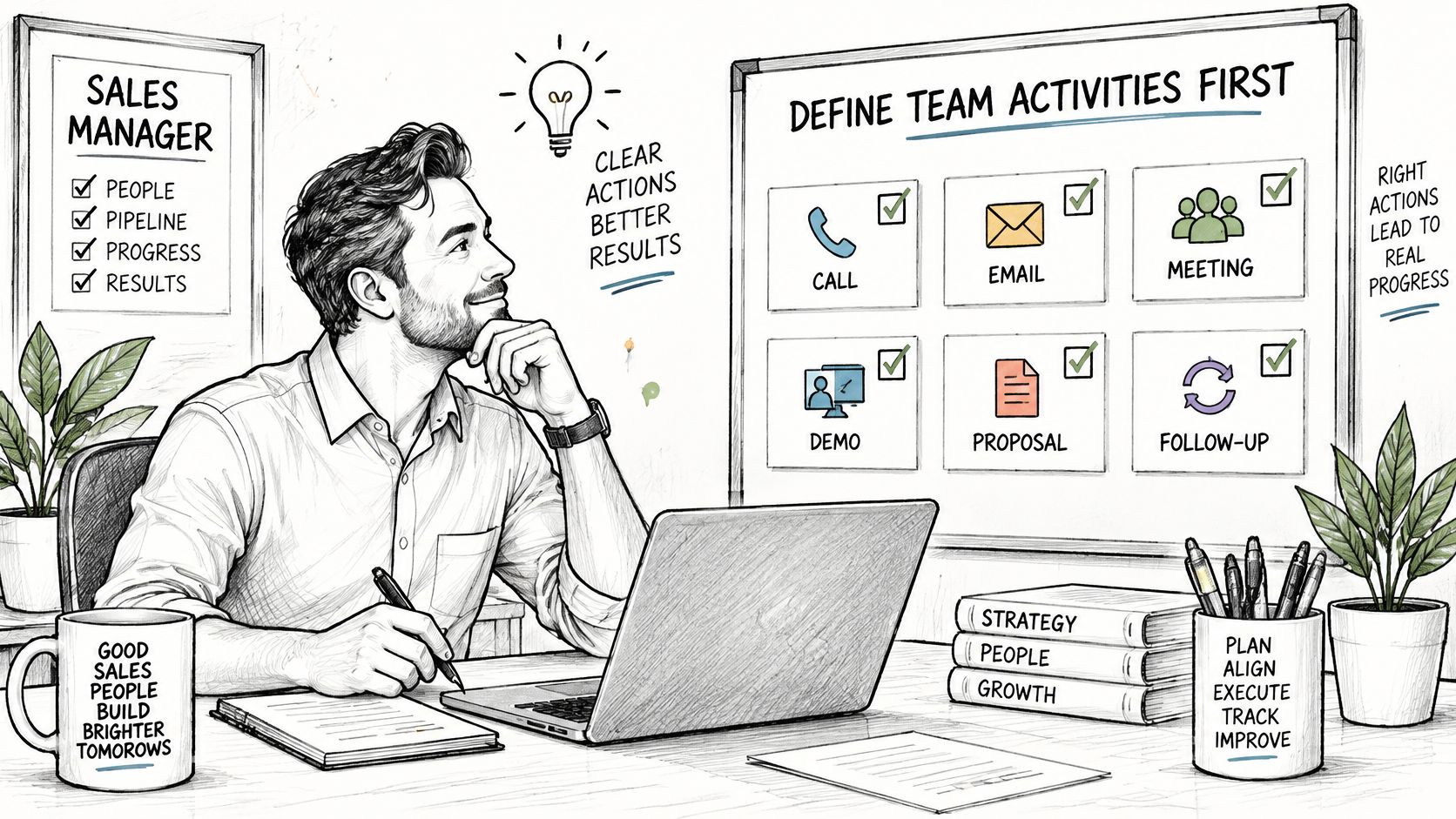
Define the work before automating it
Name the activity types. Start with a short list such as call, email, discovery meeting, demo, proposal and follow-up. Write a definition for each, including whether a follow-up is a task or a completed interaction, so reps don't count the same work differently.
Set outcome dispositions. Calls might end as connected, voicemail or invalid number; replies might be positive, neutral or negative. Give meetings separate scheduled, held, canceled and no-show statuses, because booking and attendance answer different questions.
Require a dated next step for stage-changing activity. Record the action, owner and commitment, such as sending security documentation before the buyer's review. If the buyer hasn't agreed to anything, mark the next step as seller-proposed rather than presenting it as a mutual commitment.
That distinction matters during forecasting. A rep's intention to follow up isn't evidence that a buyer intends to proceed, and a blank next-step field doesn't tell you whether the commitment was forgotten or never made. Preserve that uncertainty instead of filling it with an optimistic assumption.
Use a shared walkthrough to discuss how the process will work in practice.
Connect capture to review
Choose capture methods by channel. Sync approved email and calendar accounts, connect the phone system where appropriate, and provide a simple manual form for offline visits. Test duplicate prevention before enabling overlapping integrations.
Associate the activity with the right records. Attach the contact and account, then the relevant opportunity when one exists. Don't manufacture an opportunity just to satisfy a required field, and don't attach an account-wide conversation to every open deal.
Run a regular operating review. Inspect yield, capture gaps and stale deals, then choose a limited set of changes with named owners. Separate a coaching action, such as revising a discovery question, from a system repair, such as restoring a broken sync.
Pilot with a contained team before broader rollout. Ask reps which fields require guesswork, inspect examples of inconsistent classification and revise the instructions before turning those fields into performance measures.
Pilot check: A correctly completed record should help another rep continue the conversation without asking the original owner to reconstruct it.
A working-record checklist should include:
Identity: Activity type, owner and linked contact.
Timing: Actual interaction timestamp, not just the entry date.
Result: Structured disposition with concise supporting context.
Association: Correct account and opportunity, where applicable.
Continuation: Next action, responsible person and due date, or an explicit reason none is needed.
Common Tracking Pitfalls and How to Fix Them
Symptom | Likely Cause | Fix |
|---|---|---|
Top performers look inactive | Calls and meetings happen outside the CRM | Log the same day or sync calendar and phone data |
Pipeline looks healthy but deals stall | Stages aren't updated and no next step is set | Require a dated next step and review stale deals weekly |
Duplicate contacts inflate reach | No matching rule before record creation | Match on email before creating a new contact |
Reps log low-value touches | Quotas count volume rather than outcomes | Set goals on yield and qualified outcomes |
Win-rate comparisons are unreliable | Outcome fields are optional or inconsistently applied | Require dispositions and deal outcomes |
A dashboard can make missing records look like missing effort. Before confronting a rep about inactivity, inspect the capture path: account connection, permissions, contact matching and activity association.
SuperOffice's CRM statistics summary reports that 74% of CRM users say their system improves access to customer data, while 47% report significant satisfaction effects from poor data quality. Easier access doesn't establish that the underlying record is fit for a decision.
Maintain a separate data-health view
Track these controls alongside the commercial metrics:
Record completeness: Eligible records with all required fields divided by eligible records. Sales operations should inspect failures and distinguish missing values from genuinely inapplicable fields.
Stale-record age: Time since the last verified interaction or meaningful update. Opportunity owners should explain exceptions rather than resetting dates with empty notes.
Duplicate rate: Confirmed duplicate records divided by reviewed records. The CRM administrator should inspect import and integration sources before merging.
Missing-outcome rate: Completed activities without a valid disposition divided by completed activities. Managers should review recurring gaps with the responsible reps.
Run exception checks before the weekly pipeline review so owners can correct them while the interaction is still fresh. Review integration failures when they occur, not only when a manager notices an unexpected chart.
Keep a lightweight change log for repaired imports, merged records and revised definitions. Otherwise, a sudden improvement in conversion may reflect corrected data rather than better selling.
Use CRM best practices to turn these checks into assigned responsibilities. A cleanliness target without an owner is another dashboard number that nobody acts on.
Trust, Privacy and Review Rules for Activity Data
AI-generated insights don't remove the need to inspect their inputs. HubSpot's sales strategy report reports that 37% of sales representatives use AI tools, and 82% of users say AI surfaces better insights from data. Those perceptions don't establish that an individual summary, intent score or recommended action is correct.
Sales managers need a clear boundary between observing work and inferring motives. An email send is observable; a prediction that the buyer is ready to purchase needs explanation and verification.
Treat privacy as part of the tracking design, not an exception handled after rollout.

Set rules people can inspect
Explain collection before rollout. Document what you capture, why you need it, who can access it and how managers will use it.
Define retention and access. Set retention periods for recordings and contact data based on purpose and applicable requirements. Limit recording access to people who need it.
Separate observation from inference. Label sent emails and completed calls differently from predicted intent or AI-classified sentiment.
Reconcile source records. Compare email, calendar and CRM histories on a scheduled basis. For AI classifications, audit flagged examples and calculate false positives among the reviewed flags.
Make recommendations contestable. Show sellers the evidence behind a suggestion and provide a way to reject or correct it.
Keep compensation decisions contextual. Don't use activity counts alone. Consider qualified outcomes, comparable account conditions and verified capture gaps before judging performance.
Collect the minimum information needed for a clear decision. Explainable, relevant records are more useful than exhaustive monitoring that sellers distrust and managers can't interpret.
Build Your First Activity Scorecard This Week
Choose touches per rep per day, positive reply rate and logging coverage as a manageable starting scorecard. Confirm the activity definitions and reply dispositions, then begin recording a baseline without immediately changing quotas.
During the week, audit a small sample against inbox, calendar and phone records. Group gaps by cause, such as disconnected accounts, missing associations or incomplete dispositions, rather than treating every omission as rep error.
Make the first review a decision
Check the foundation: Confirm that the denominator and capture method are consistent.
Select a change: Repair the largest measurement gap or test a specific improvement to targeting or messaging.
Assign ownership: Name who will act and what evidence will show whether the change helped.
Disconnected tools make it harder to connect a sequence step with the conversation it produced. At Stamina, our Campaigns product tracks performance from sequence start to positive reply by step and variant; Objects preserve activity timelines, while Workflows can update records based on replies and engagement.
A platform records and organizes events, but your team still decides what qualifies as progress. Which of your three starting metrics will you improve first, and why?
Stamina brings campaign tracking, CRM activity histories and workflow automation together so your team can examine outreach alongside buyer responses. Visit Stamina to explore a connected workspace for building an activity scorecard based on qualified outcomes, not just completed touches.

